Illustrated instructor and duty manager guide
This guide follows the same day as the pilot guide, seen by the instructor who is duty manager: opening, attendance, launch means, TMG, tow plane, trial flights, then validation and closing. Screenshots from a real planche, pilot names replaced; the interface is in French.
Everything happens in the Planche member portal (tablet or computer), where a banner reminds you that you can declare and correct the flights of every pilot present. One more tab appears: Gestion de la planche (planche management).
1. Opening the planche
In Gestion de la planche, while no planche is open today, the Ouvrir la planche panel asks for the duty manager (among instructors and duty managers signed up on Click & Glide). On opening, the day's Click & Glide sign-ups become the attendance list. Details in Duty manager.
2. Attendance and assignments
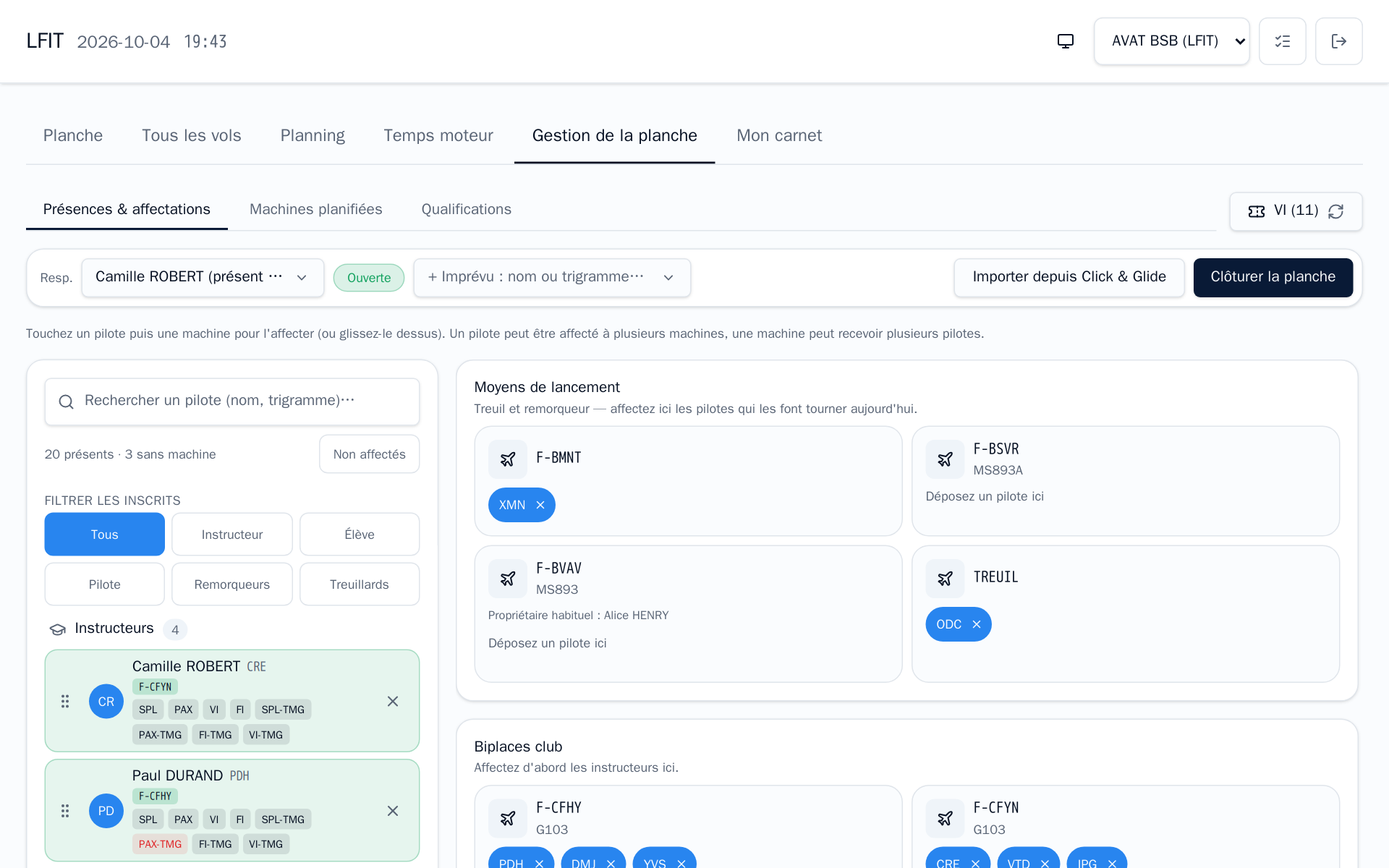
The top bar holds the day:
| Item | Purpose |
|---|---|
| Resp. | Duty manager, can change during the day |
| Ouverte | Planche state |
| + Imprévu | Add an unplanned pilot: added as soon as picked |
| Importer depuis Click & Glide | Pull sign-ups made since opening (never removes anyone) |
| Clôturer la planche | Close the planche at the end of the day, after validation |
| VI (11) ⟳ | Reload trial-flight vouchers from the ERP; the number is the usable vouchers |
The board: pilots present on the left, filtered by role (instructor, student, pilot) or crew (tow pilots, winch operators); machines on the right. Tap a pilot then a machine to assign, or drag it. A pilot can have several machines and a machine several pilots.
- Launch means: assign the tow pilot (XMN on F-BMNT) and the winch operator (ODC on TREUIL). Without an assignment, that launch method is not offered to pilots declaring, and the assigned crew is prefilled on their flights.
- Club two-seaters: assign the instructors first, then their students.
- The TMG is assigned like a glider: the TMG instructor and the student.
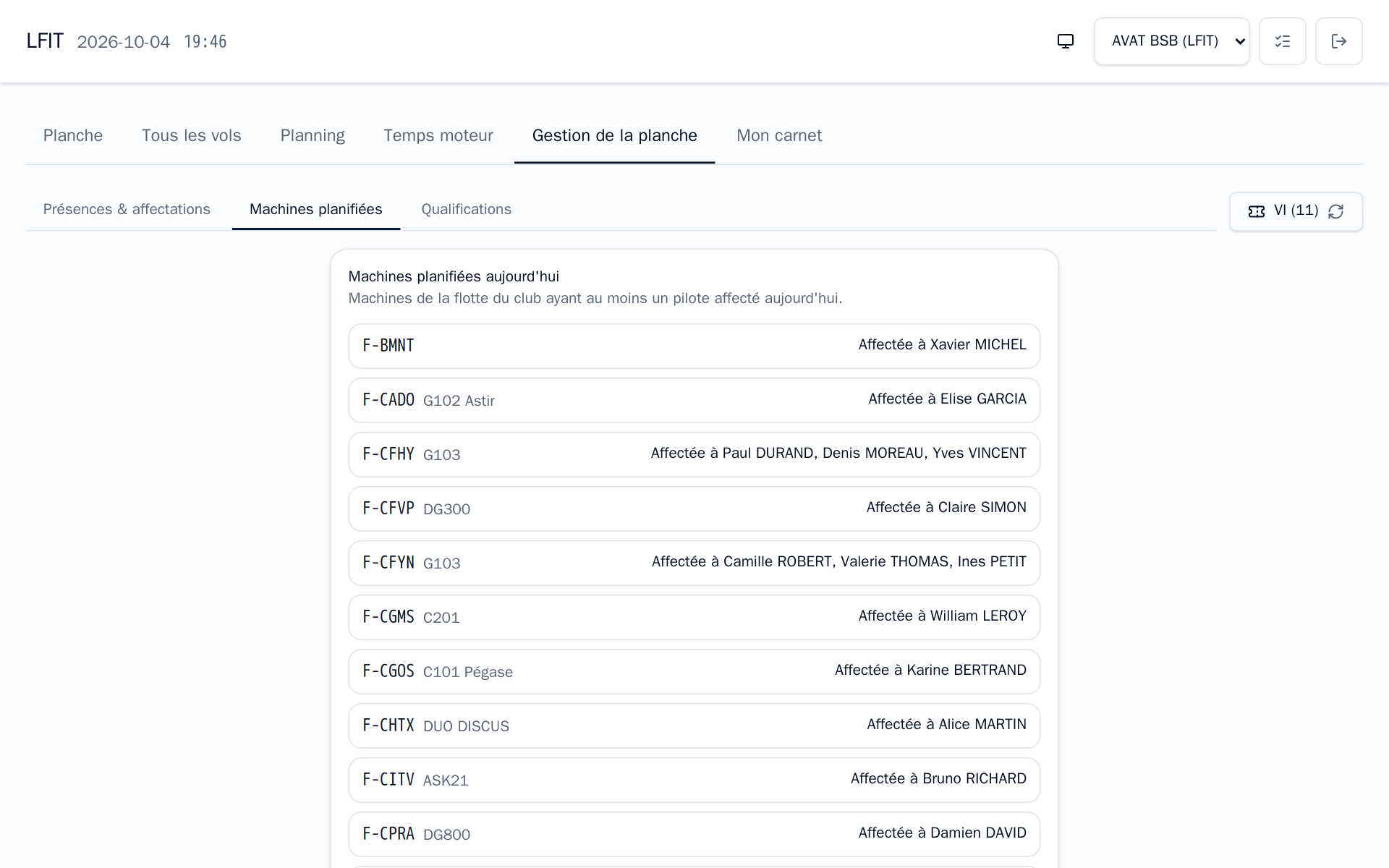
Machines planifiées sums up who has each machine today. Everyone sees the same summary in the Planning tab.
3. Ratings on the spot
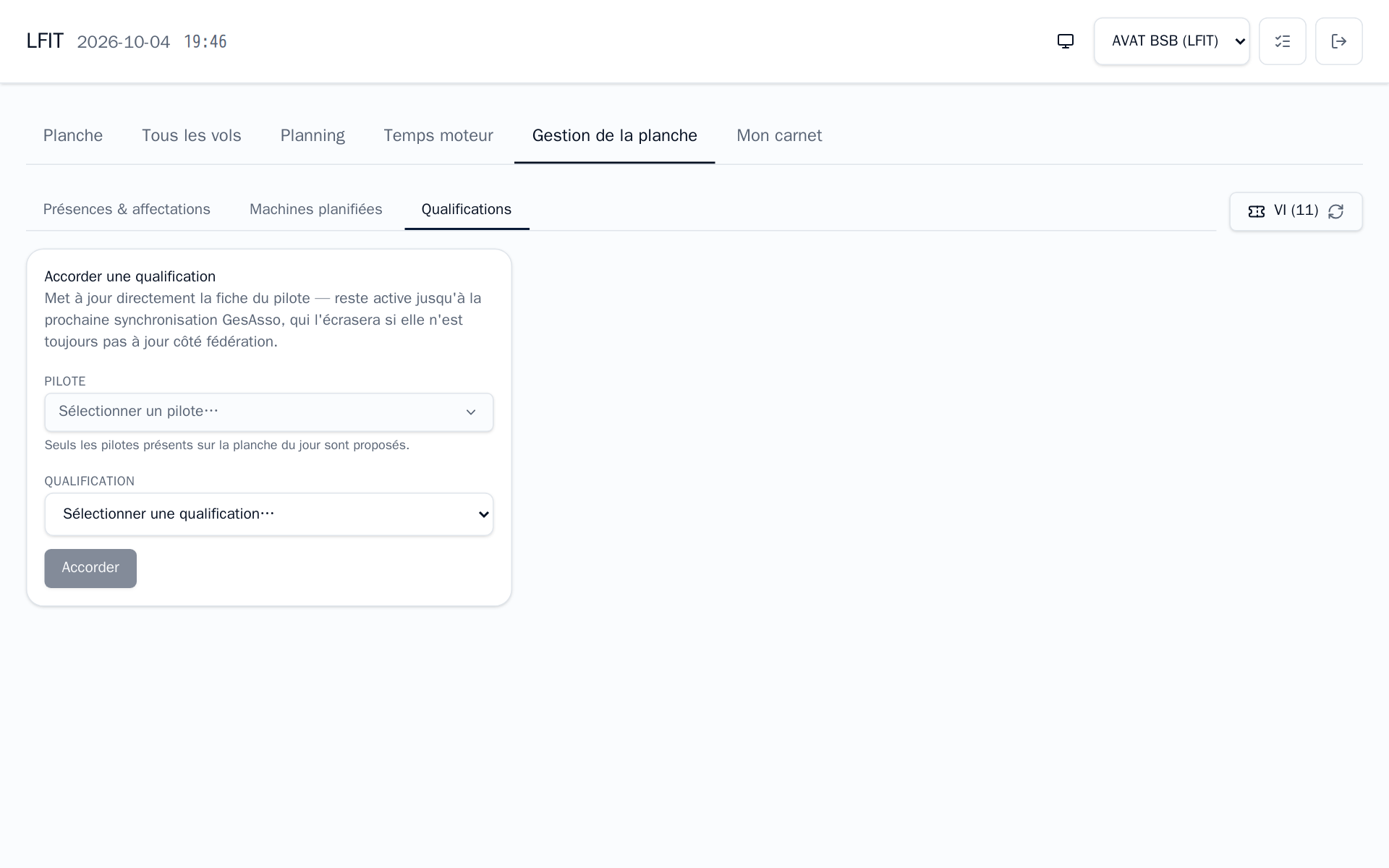
The Qualifications tab grants a rating to a pilot present (tow, winch, passenger…) to unblock them without waiting for an administrator. It lasts until the next GesAsso sync, which overwrites it if the federation record is not up to date. Machine authorizations (release, revalidation) are in Machine authorizations.
4. Following and declaring for others
On the Planche tab you see every flight and can act on each: take off, land, edit, declare a forgotten flight for a pilot.
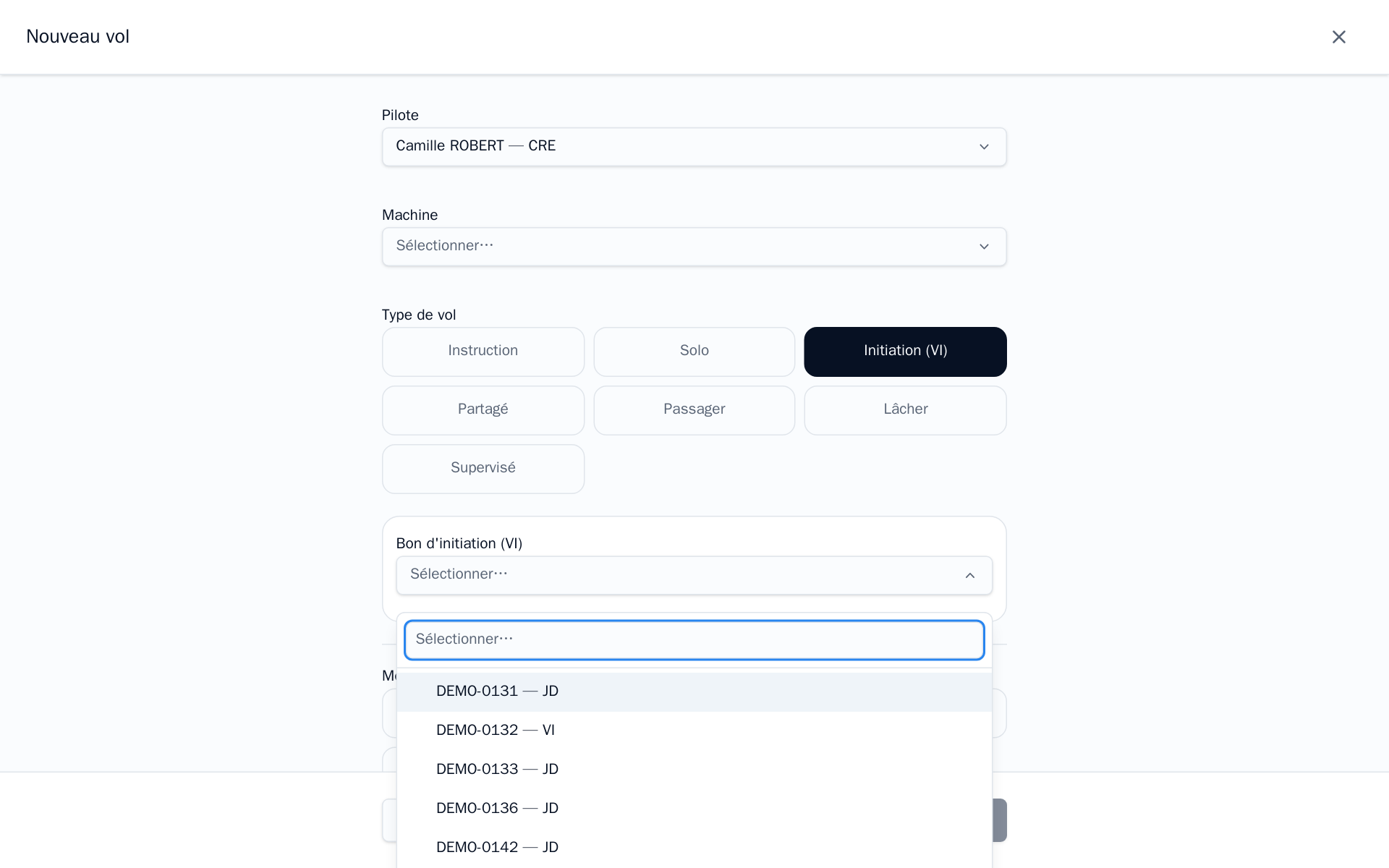
Trial flight: Initiation (VI), then the voucher. The pilot must be VI-rated. A recently sold or scheduled voucher only shows up after a reload with the VI button.
5. TMG and tow plane: engine time
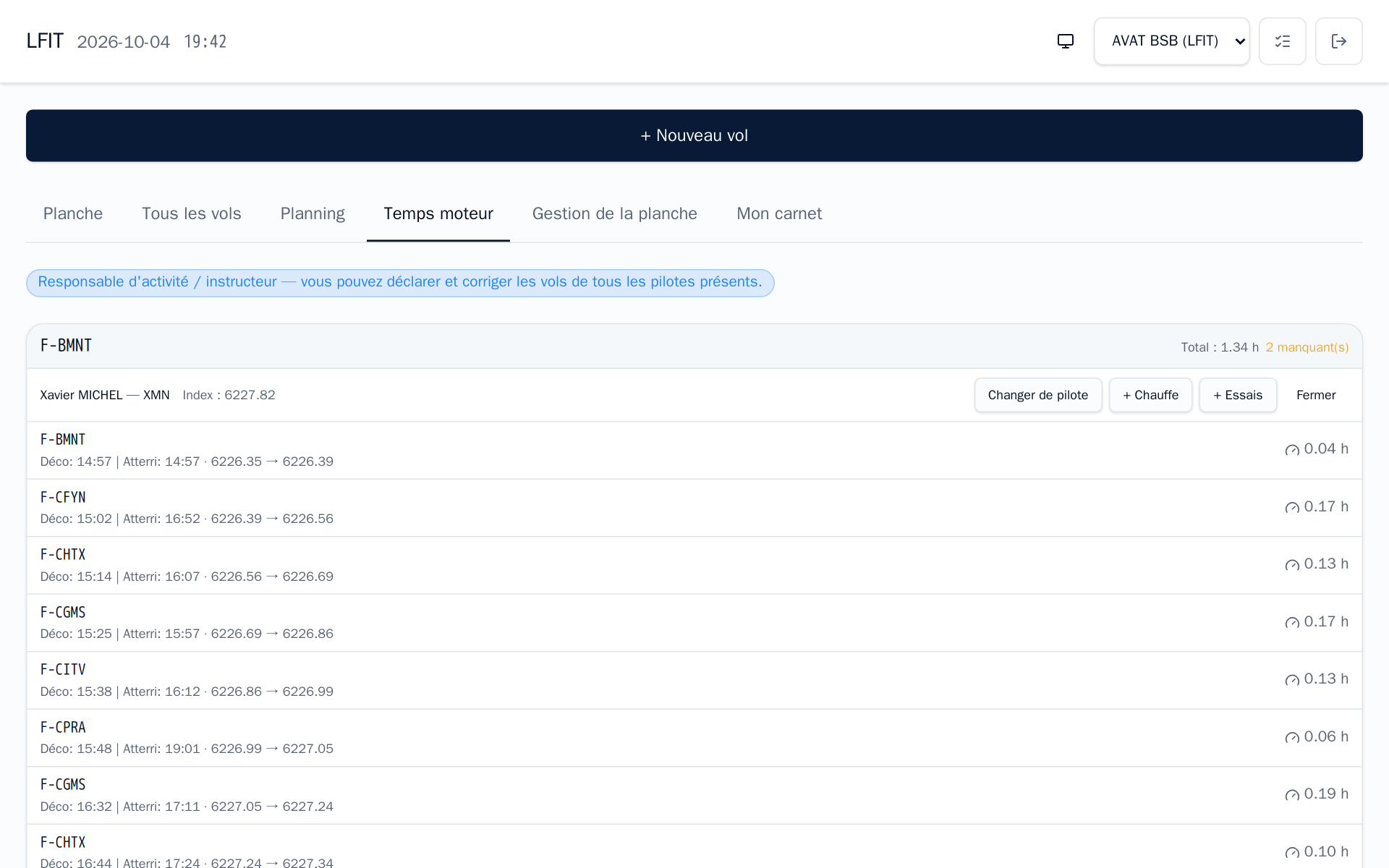
The Temps moteur tab lists the engine machines, with each flight's start and end index and engine time, and per plane a total and the number of missing indexes.
Tow plane. Unlike the tow pilot on their own portal, you can keep the tow sheet from the member portal:
- Ouvrir la planche for the plane: tow pilot and start index from the meter.
- Changer de pilote when the crew rotates.
- + Chauffe and + Essais: enter the index read; a dedicated flight is created and the index moves forward.
- Enter a tow's index (pencil) when the tow pilot did not do it on the tablet.
- Fermer at the end of the day.
The tow pilot's view is in the pilot guide.
TMG. Each TMG flight carries its start index (prefilled with the last known one) and its end index, entered on Poser from the hour meter. A TMG flight without an end index is incomplete: complete it here (pencil) before validation.
Remind TMG pilots to tap Décoller after starting the engine and Poser after shutting it down: those taps record the times. For a landing away, the landing place (ICAO code) goes in ⋯ › Modifier › Détails, which you can fill in for them; the times can be corrected there too.
Winch. No engine time per flight: just check each winch launch carries the day's winch and operator.
6. Validating, then closing
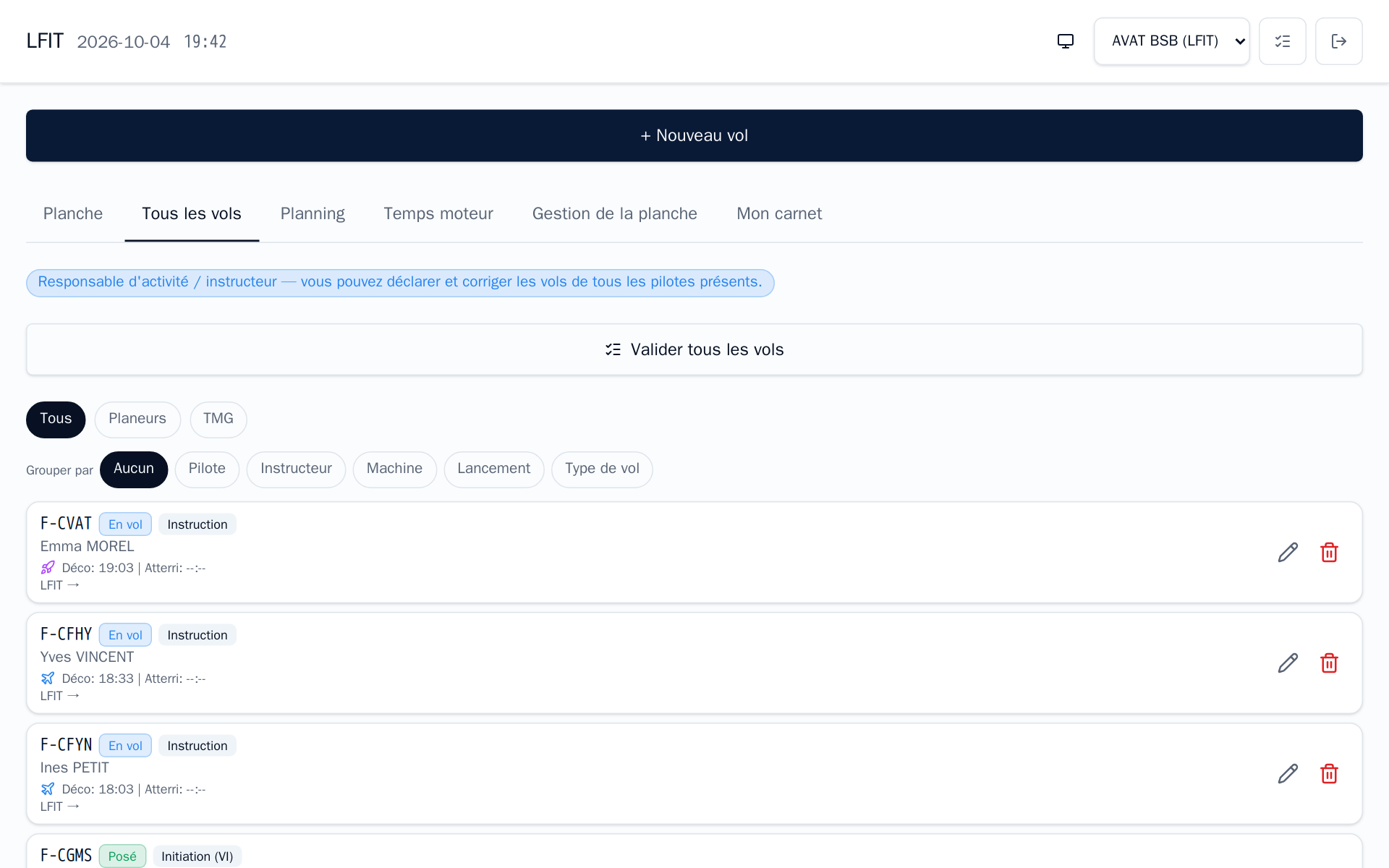
At the end of the day, Tous les vols tab:
- Check the landed flights: Planeurs / TMG filters, grouping by pilot, instructor, machine, launch or flight type.
- Complete incomplete flights (missing TMG or tow index, second pilot of an instruction flight…).
- Valider tous les vols: landed, complete flights are validated and sent to the ERP; incomplete ones are skipped and reported.
- Gestion de la planche › Clôturer la planche.
A validated flight is locked. Correcting it requires a reason while it has not been transferred to the ERP; after that, the correction is made in the ERP.
7. Billing instruction
By default the student pays the whole flight. In the form, Facturation partagée splits it 50 % student, 50 % instructor, and Membre facturé names another payer (a reason in the remarks is required for an exceptional billing). See Billing flights.