Illustrated pilot guide
This guide follows a real flying day at the field (screenshots from a real planche, pilot names replaced). It covers winch and aerotow launches, trial flights, the TMG with its hour meter and the tow plane's sheet. The screens show the Planche in French, as used at the club.
The screens are the Planche member portal on a phone. The field tablet (kiosk) shows the same tabs, larger.
1. Signing in
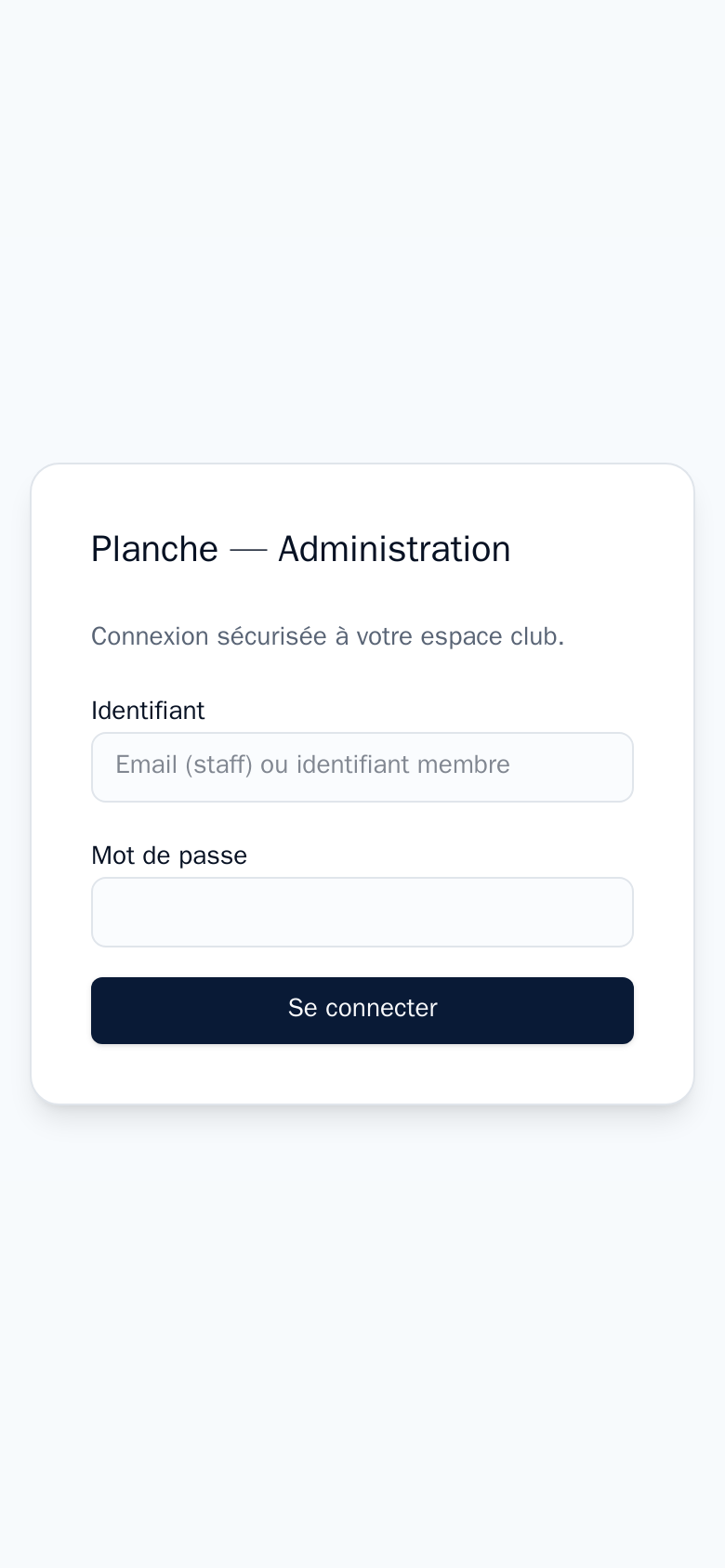
- Login: your ERP member identifier (or your email if you are staff).
- Password: your ERP member portal password.
At the top: the airfield, date and time, the airfield picker when there are several, and sign out. At the bottom: the Planche, Tous les vols (all flights), Planning, Temps moteur (engine time) and Mon carnet (my logbook) tabs.
No planche, no flight
Until the duty manager has opened today's planche, the Planche tab shows « Aucune planche ouverte » and no flight can be declared.
2. Today's planche
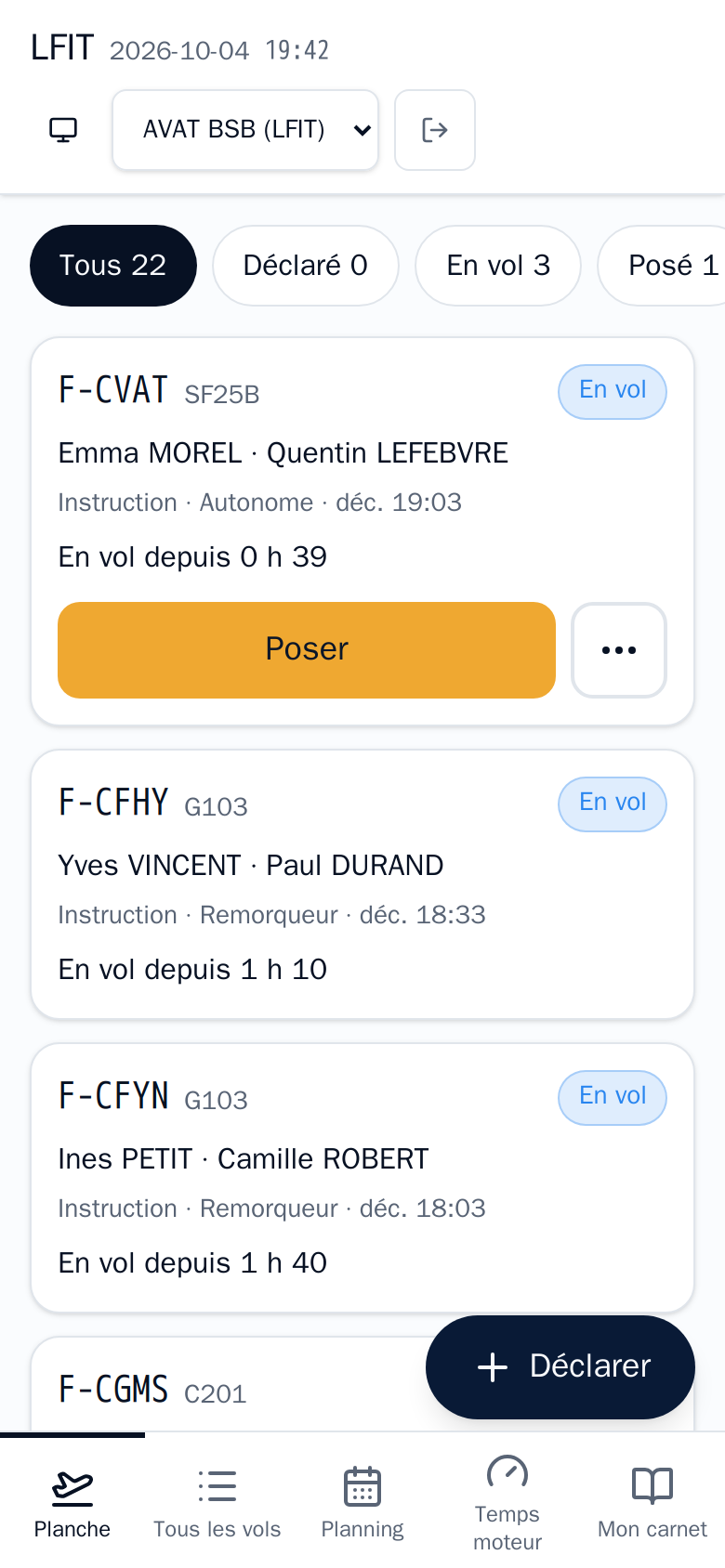
Each flight is a card: machine, pilots, flight type, launch method, and its state.
| State | Meaning | What you do |
|---|---|---|
| Déclaré (declared) | Entered, not yet airborne | Décoller (take off) when leaving |
| En vol (flying) | Timer running | Poser (land) on landing |
| Posé (landed) | Times complete | Check; the duty manager validates |
| Validé (validated) | Locked, sent to the ERP for billing | Nothing more |
The filters at the top count the flights in each state. The ⋯ button on a card edits, duplicates or deletes your flight until it is validated.
3. Declaring a flight
Déclarer button (+ Nouveau vol on the tablet). You are already the pilot; then:
- The machine. Those assigned to you today come first (« affectée aujourd'hui »). A machine in flight is not offered. « non autorisé » flags a machine you are not released on: only instruction, release and supervised flights remain possible.
- The flight type: instruction, solo, trial (VI), shared, passenger, release, supervised — depending on your ratings.
- The launch method: winch, aerotow, self-launch or external.
- Remarks if needed, then Déclarer le vol.
Winch
Choose Treuil: today's winch and winch operator come from the launch means team of the day. Without a winch assigned to someone present, the winch is not offered; ask the duty manager.
Aerotow
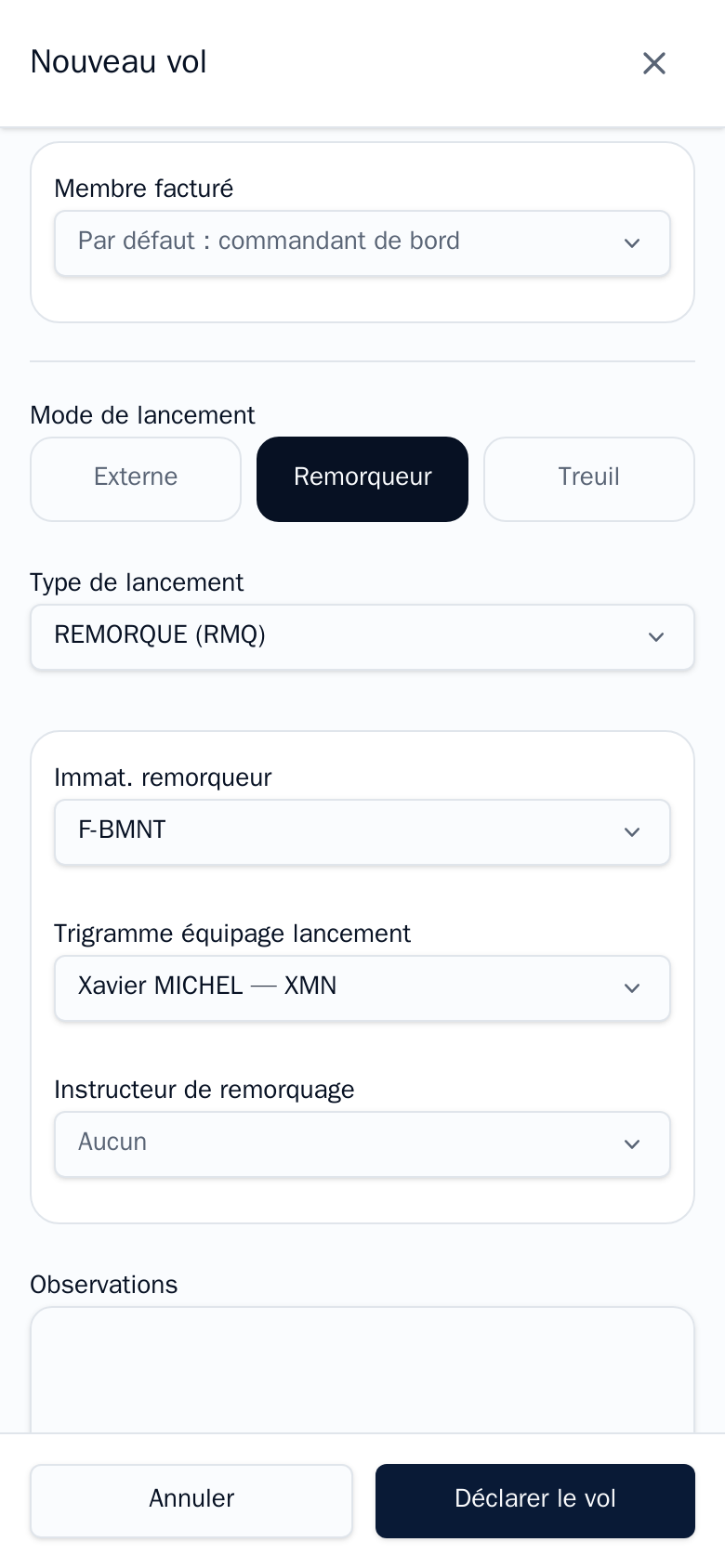
Choose Remorqueur: the tow plane and tow pilot are prefilled from today's assignments. The launch type sets the price; keep the suggested value unless told otherwise. The same pilot cannot be both in the glider and in the tow plane.
Trial flight (VI)
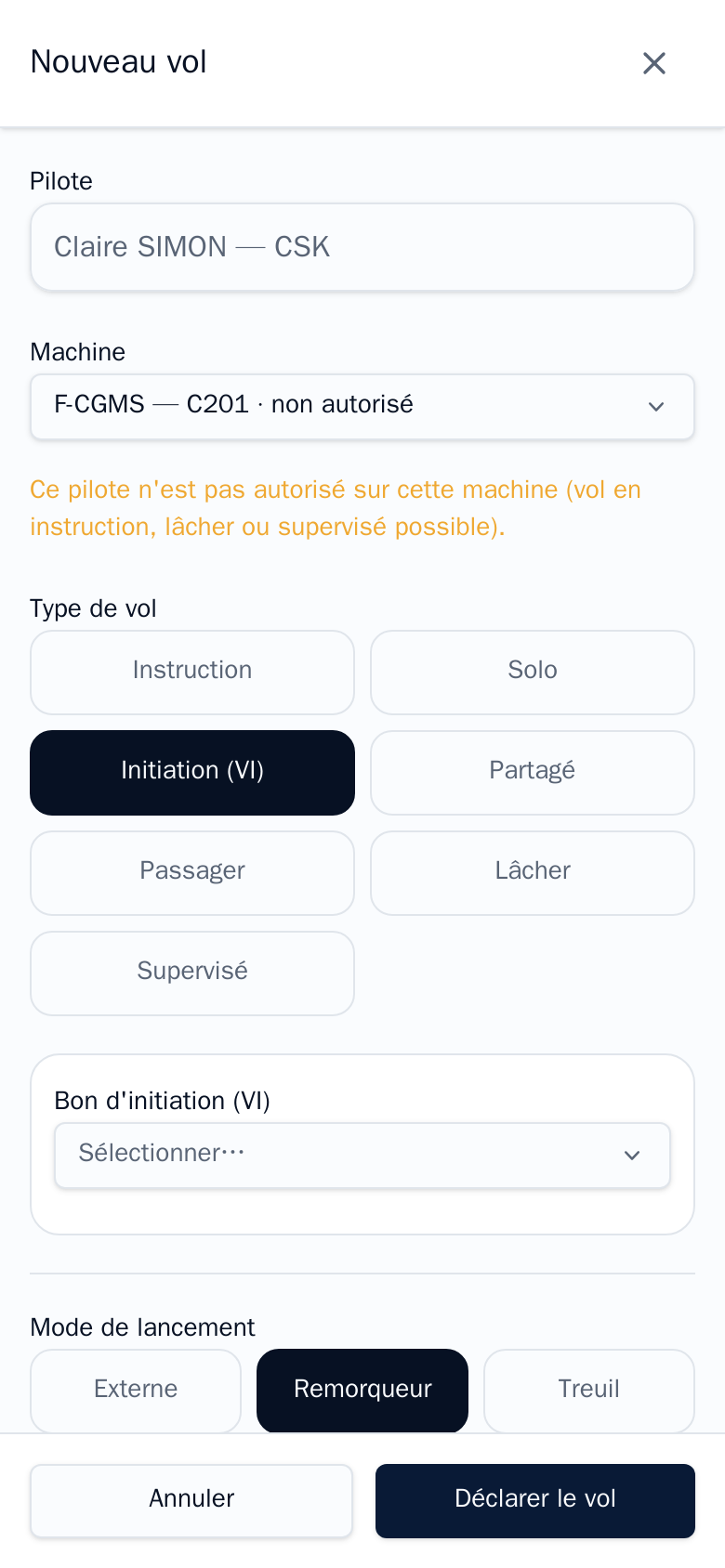
For a VI-rated pilot: Initiation (VI), then pick the voucher (sold or scheduled vouchers, loaded from the ERP). If a recently sold voucher is missing, the duty manager reloads them with the VI button of the planche management tab.
4. The TMG and its hour meter
The TMG (here F-CVAT) flies as Autonome (self-launch is enforced); its engine time comes from the hour meter.
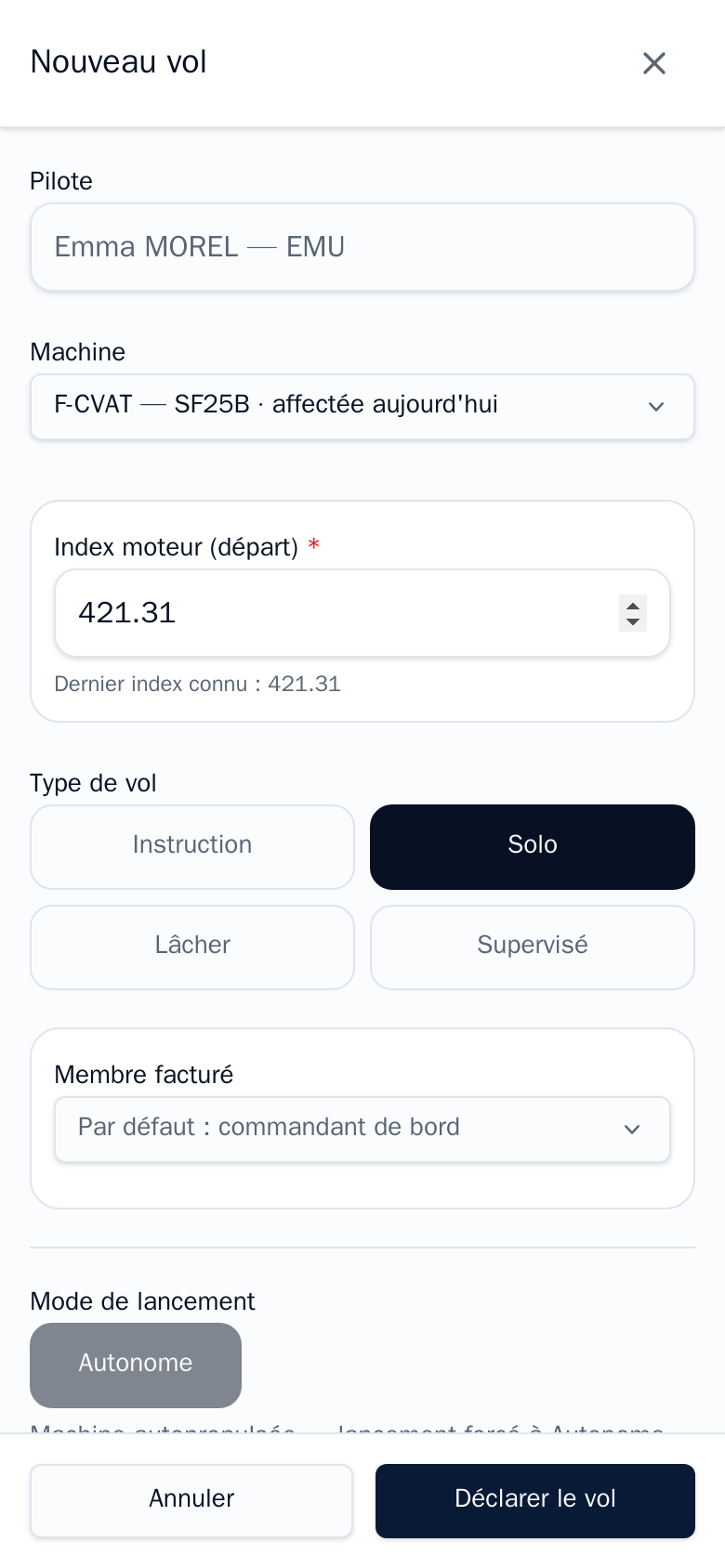
At departure, when declaring:
- Index moteur (départ) is required.
- It is prefilled with the machine's last known index.
- Check it against the hour meter and correct it if it differs (for instance after a flight off the planche).
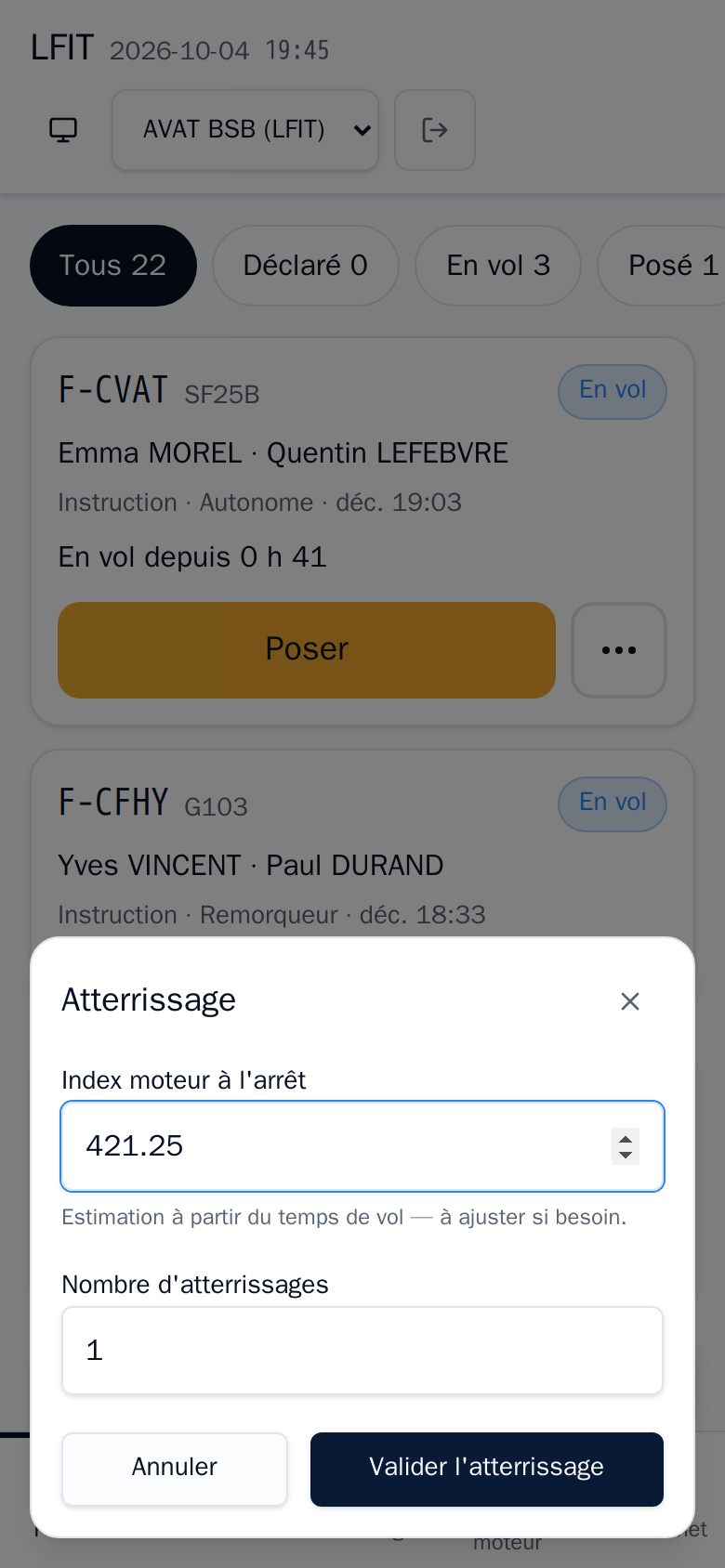
Take off and land: by hand, with the engine
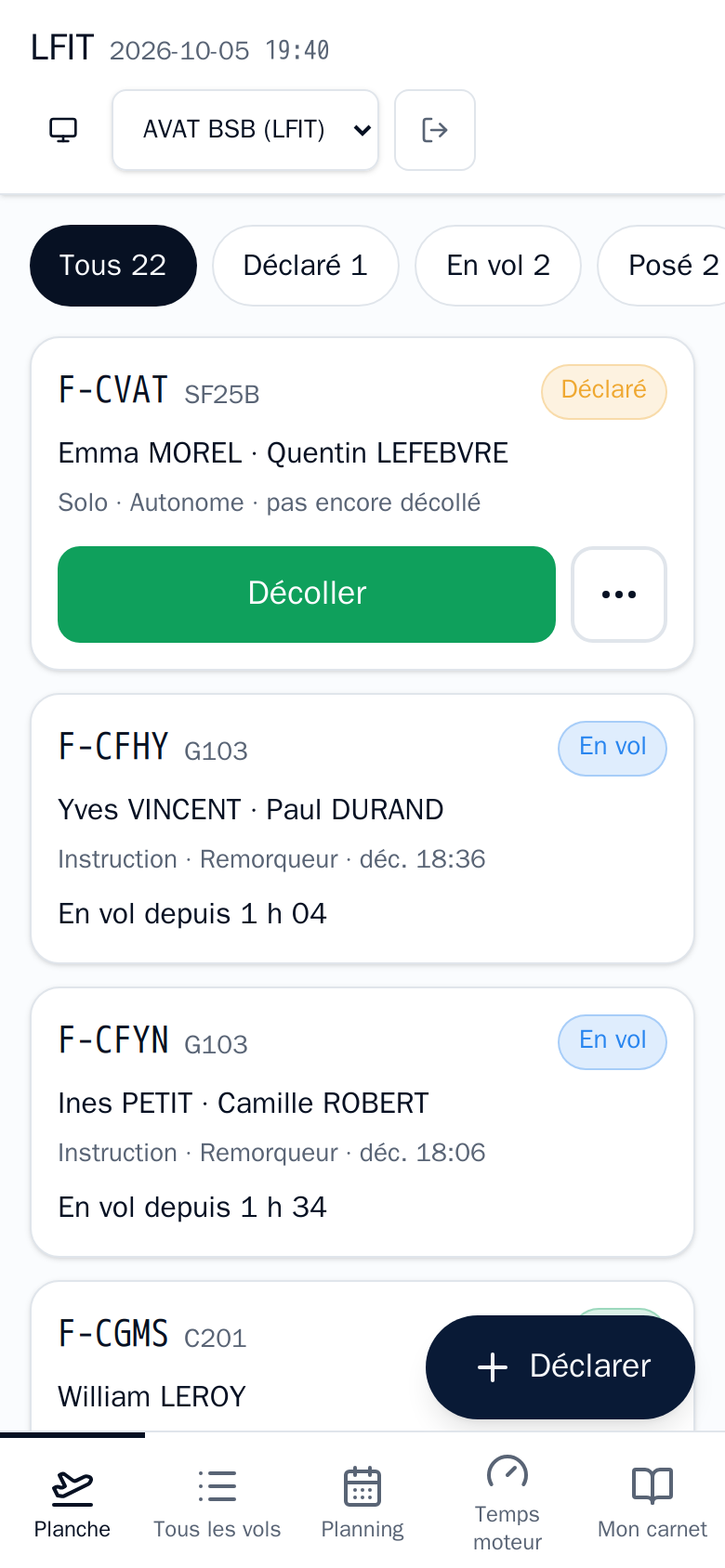
Once the flight is declared, the card stays « Déclaré · pas encore décollé »: your taps on the big buttons are what record the flight's times.
- Décoller: tap it after starting the engine, at departure.
- Poser: tap it after shutting the engine down, on arrival.
A missed tap or an offset can be fixed afterwards: ⋯ › Modifier lets you change the take-off and landing times.
Landing away, or leaving from another field
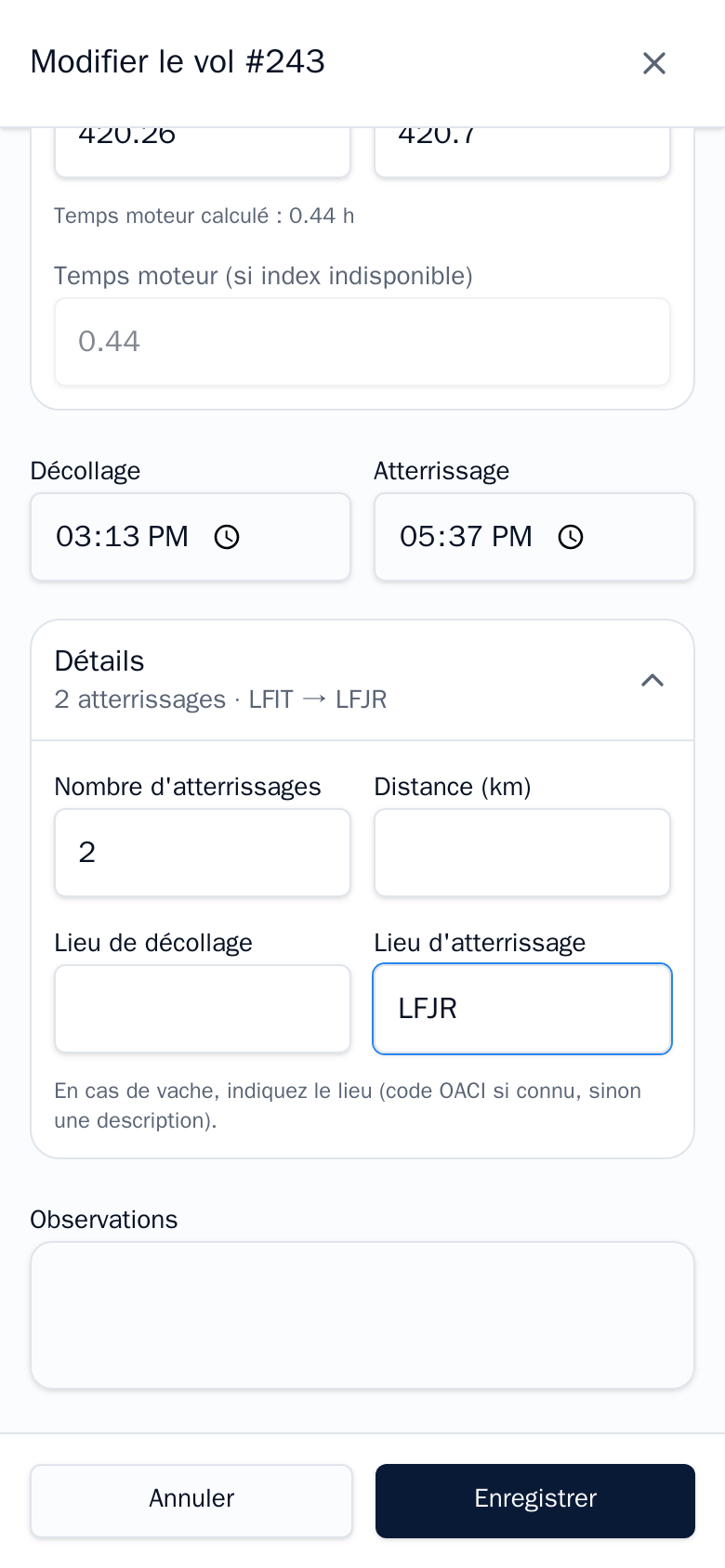
If the flight ends at another airfield, say so: ⋯ › Modifier, open Détails, then enter the ICAO code in Lieu d'atterrissage (here LFJR), and Enregistrer. The section summary then reads « LFIT → LFJR », and the flight card shows the route as soon as it leaves the planche's field.
For a departure from another field: on the field tablet the Aérodrome de décollage field is asked as soon as the flight is declared; on the member portal it is Lieu de décollage, in the same Détails block.
On landing, Poser opens a dialog:
- Index moteur à l'arrêt: an estimate computed from the flight time is suggested. Replace it with the hour meter reading.
- Nombre d'atterrissages: number of landings (circuits, touch-and-goes).
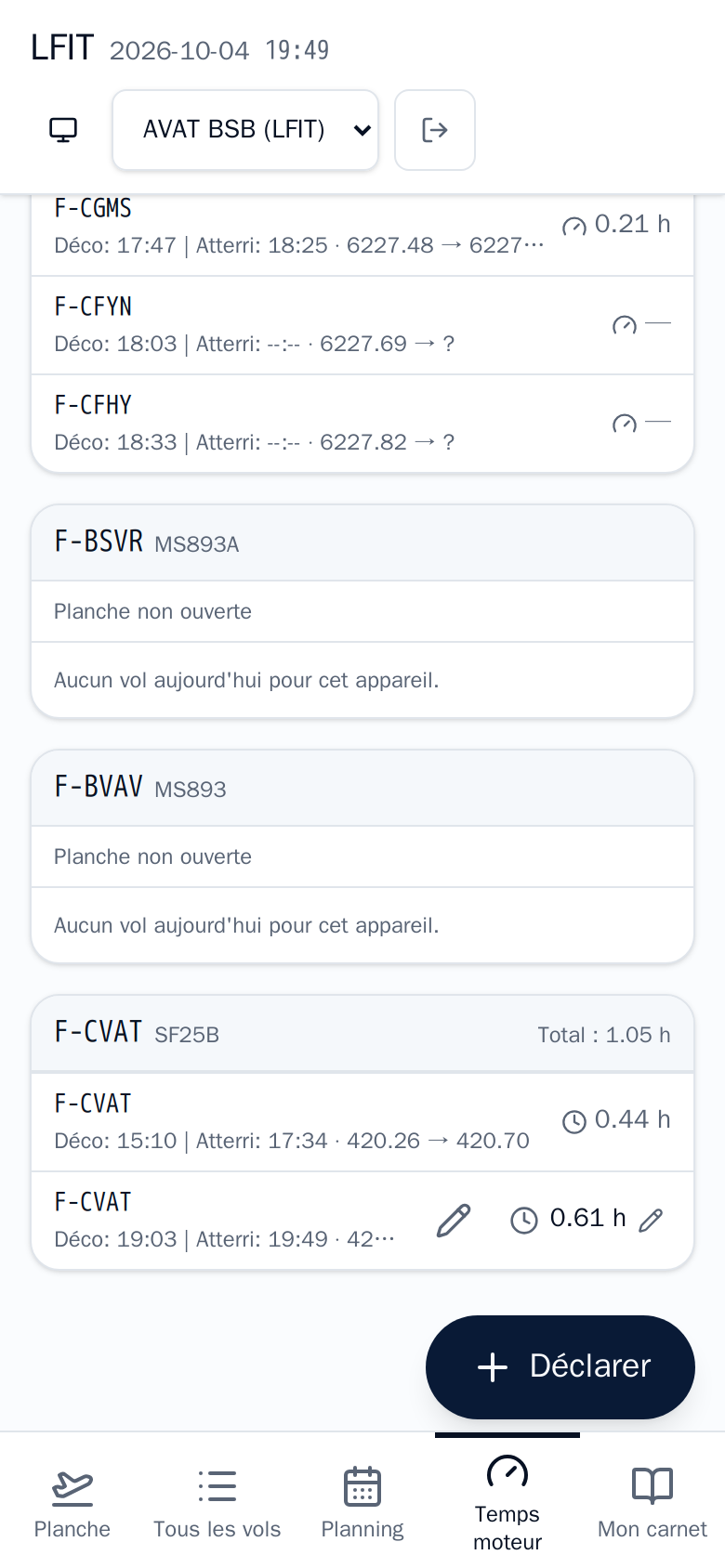
The Temps moteur tab shows the day's index chain, each flight's engine time and the total. « 1 manquant » flags a flight whose landing index is still missing.
A TMG flight without engine time cannot be validated
The TMG is billed for the airframe per hour and the engine per hundredth of an hour. A missing index blocks the flight's validation at the end of the day.
5. The tow plane and its sheet
The tow plane sheet replaces the paper towing sheet. It is kept on the field tablet, Temps moteur tab. On the member portal, these buttons are reserved to instructors and duty managers.
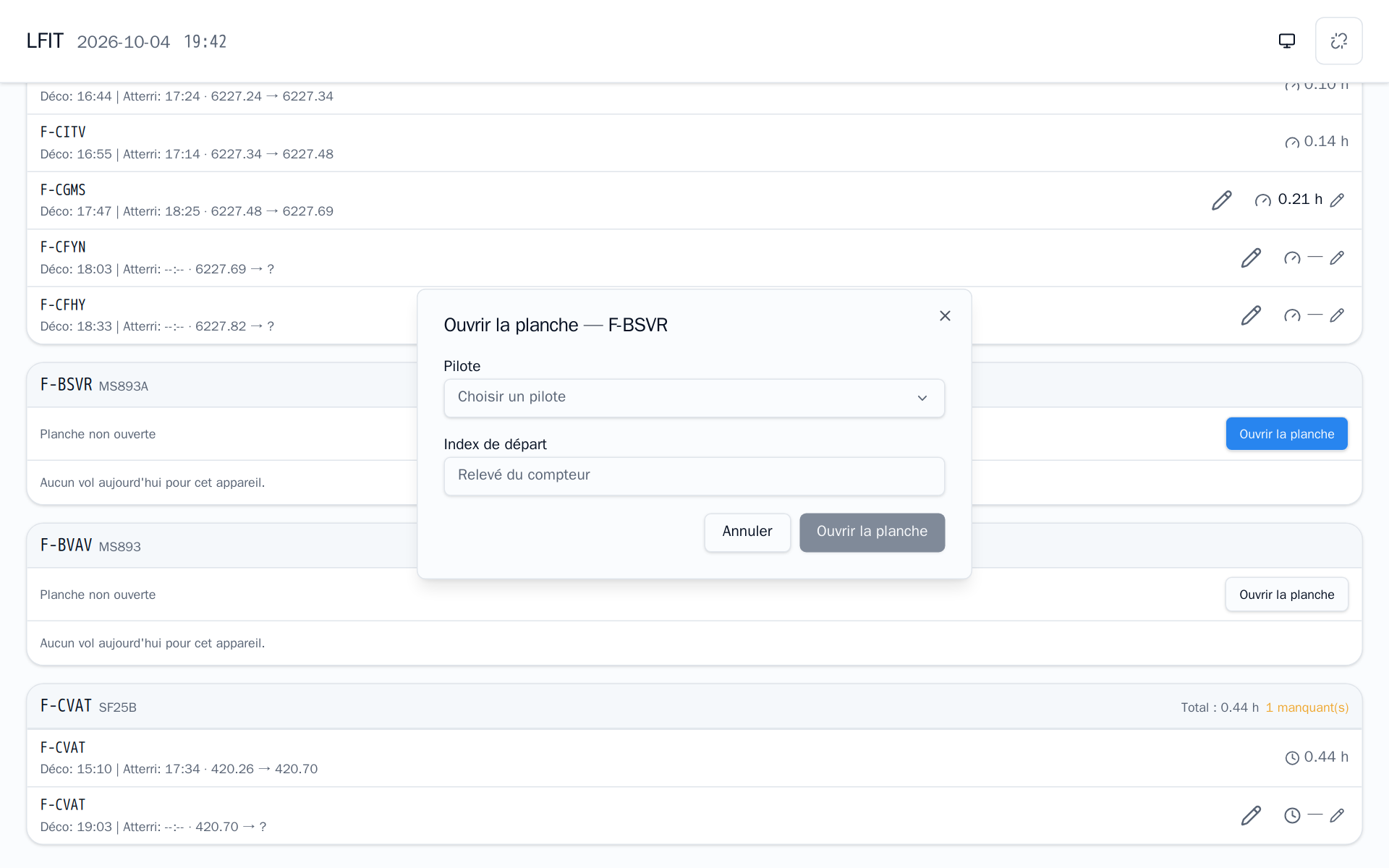
At the start of the day, on the plane's card (« Planche non ouverte »): Ouvrir la planche, pick the tow pilot and enter the start index read on the meter. Only pilots with a current tow rating are offered.
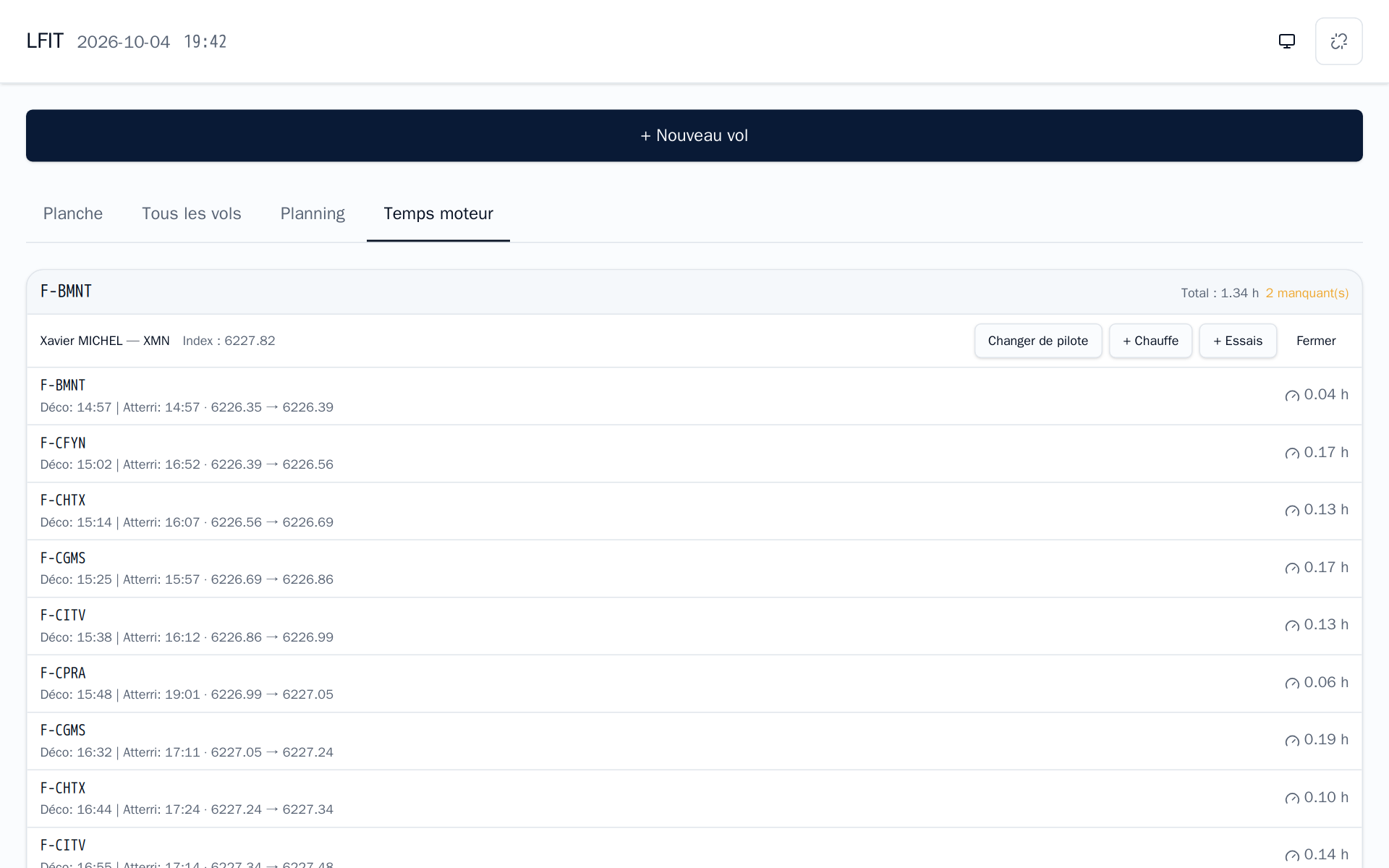
Once open, the pilot and running index are shown, with four buttons:
| Button | When |
|---|---|
| Changer de pilote | Another pilot takes the plane during the day |
| + Chauffe | Engine warm-up before the first tow (or after a long break) |
| + Essais | Engine tests on the ground |
| Fermer | End of the day, plane put away |
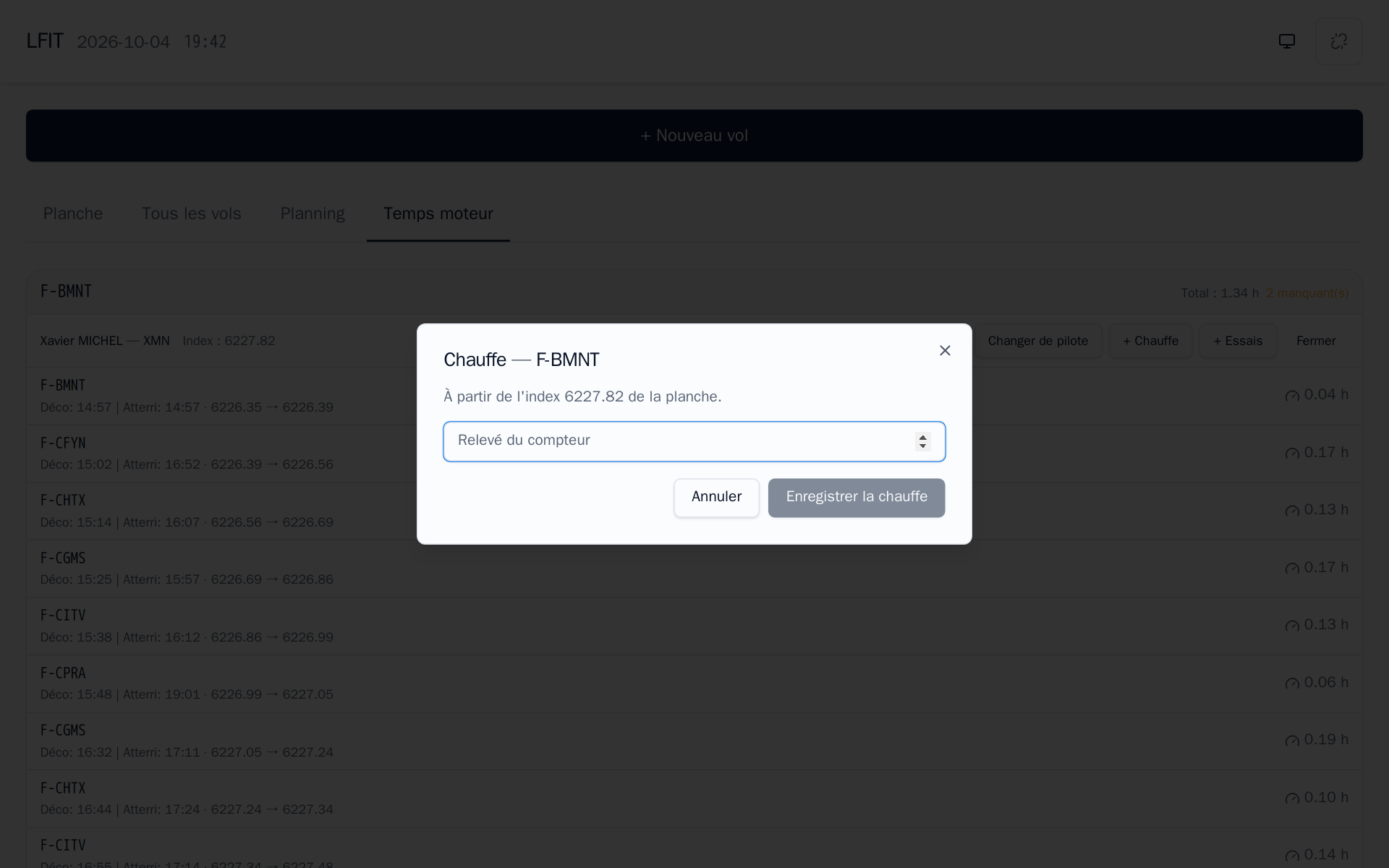
Warm-up: enter the index read after the warm-up. It starts from the sheet's running index, becomes a "warm-up" flight and moves the index forward. It is billed to the club's "warm-up" member (a club account), or to the tow sheet's pilot when none is set.
Each tow appears under the plane as soon as the glider is declared on aerotow. After the tow, just enter the new index on the flight's line (pencil): the start is the sheet's running index, the engine time is computed, and the sheet's tow pilot is recorded on the flight. « 2 manquant(s) » lists the tows whose index is still missing.
The meter wins
If the computed start index does not match the meter, also enter the start index: the reading wins and the sheet follows it.
Engine time is required to validate
A towed flight cannot be validated until the tow plane's engine time is entered (0 is accepted when there really was no engine time). Enter the new index after each tow rather than in the evening; close the sheet with Fermer only once the « n manquant(s) » list is empty.
Something forgotten, found the next day (sheet already closed): the Temps moteur tab only covers today's flights. The Planche manager fixes the flight in Vols: for a tow, they enter the tow plane's start and end index. Once the flight is validated, the fix is made in the ERP.
What is billed: the tow is billed to the glider pilot, per hundredth of the tow plane's engine hour, at a decreasing price. On a training tow, a share (usually 30 %) is billed to the trainee tow pilot.
6. After the flight
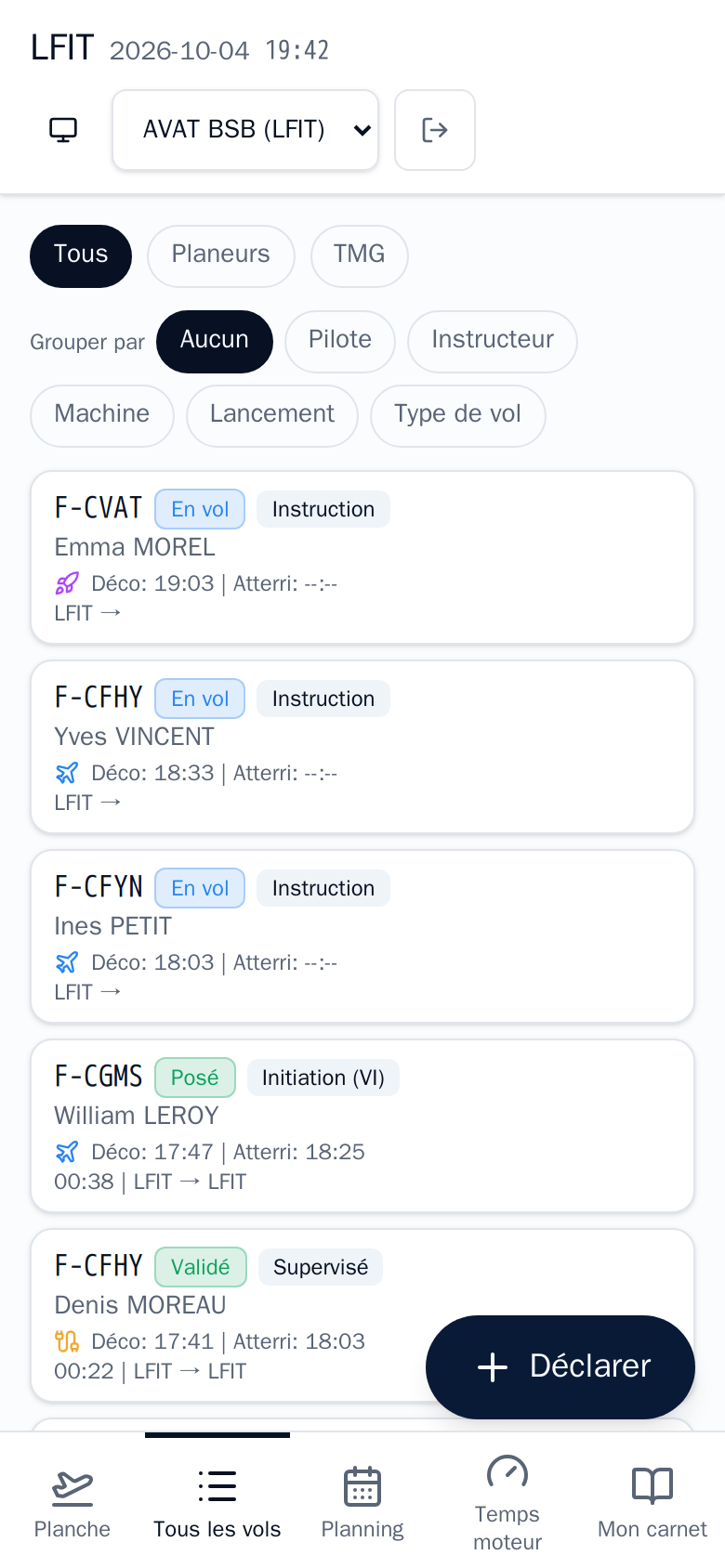
- Tous les vols: the whole day, filtered by gliders or TMG, grouped by pilot, instructor, machine, launch or flight type. Valider mon vol confirms your landed flight is right before the duty manager validates it.
- A validated flight is locked: report an error to the duty manager, who can correct it with a reason.
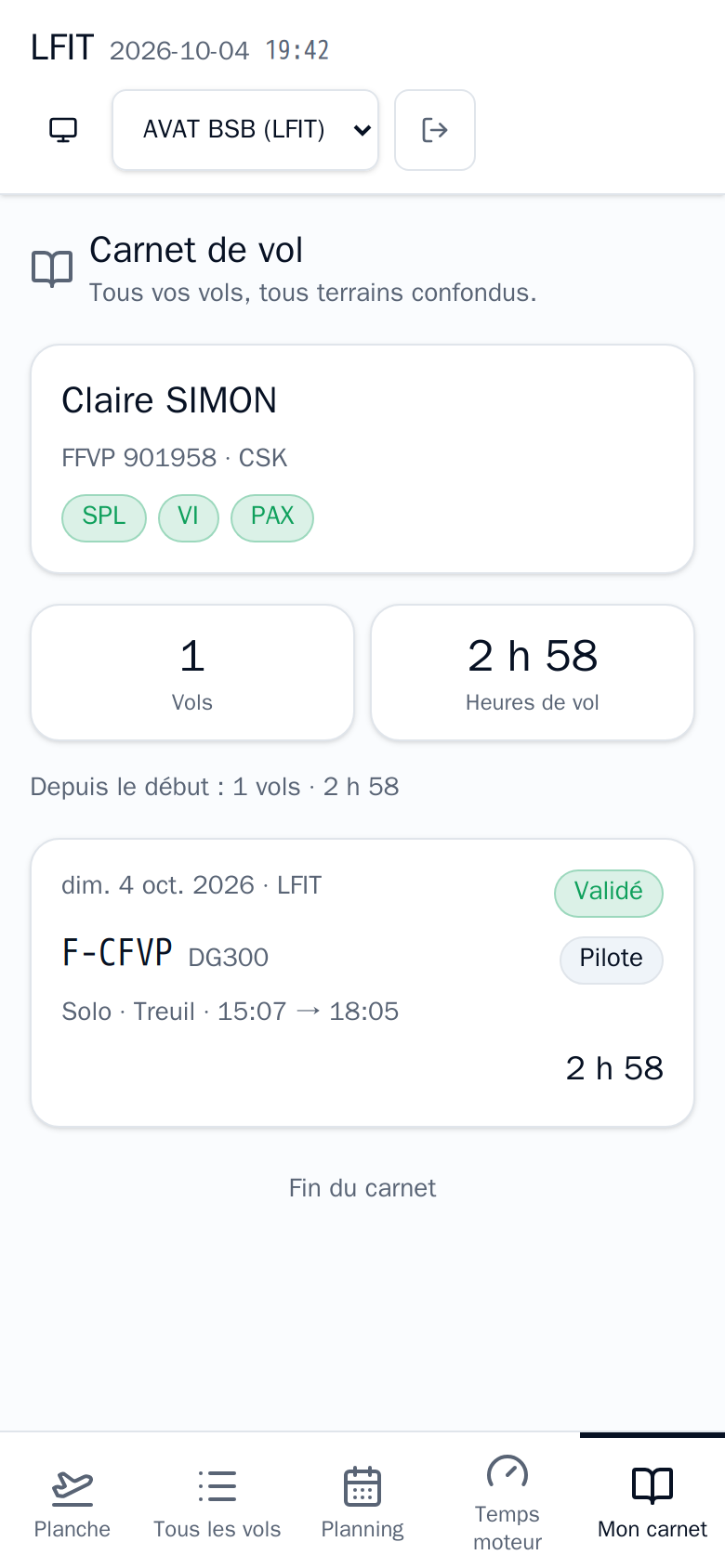
Mon carnet: your record (FFVP number, trigram, ratings), the year's totals and all your flights, all airfields, including as instructor, passenger or tow pilot.
Flight costs and your balance are then in the ERP member portal: see Pilot and Reading your pilot account.